
Getting Started

Extended images adds Data Points to the Sprite/Animation editor in Game Maker IDE allowing you to place points, sprites, circles, and squares per-frame in your animations.
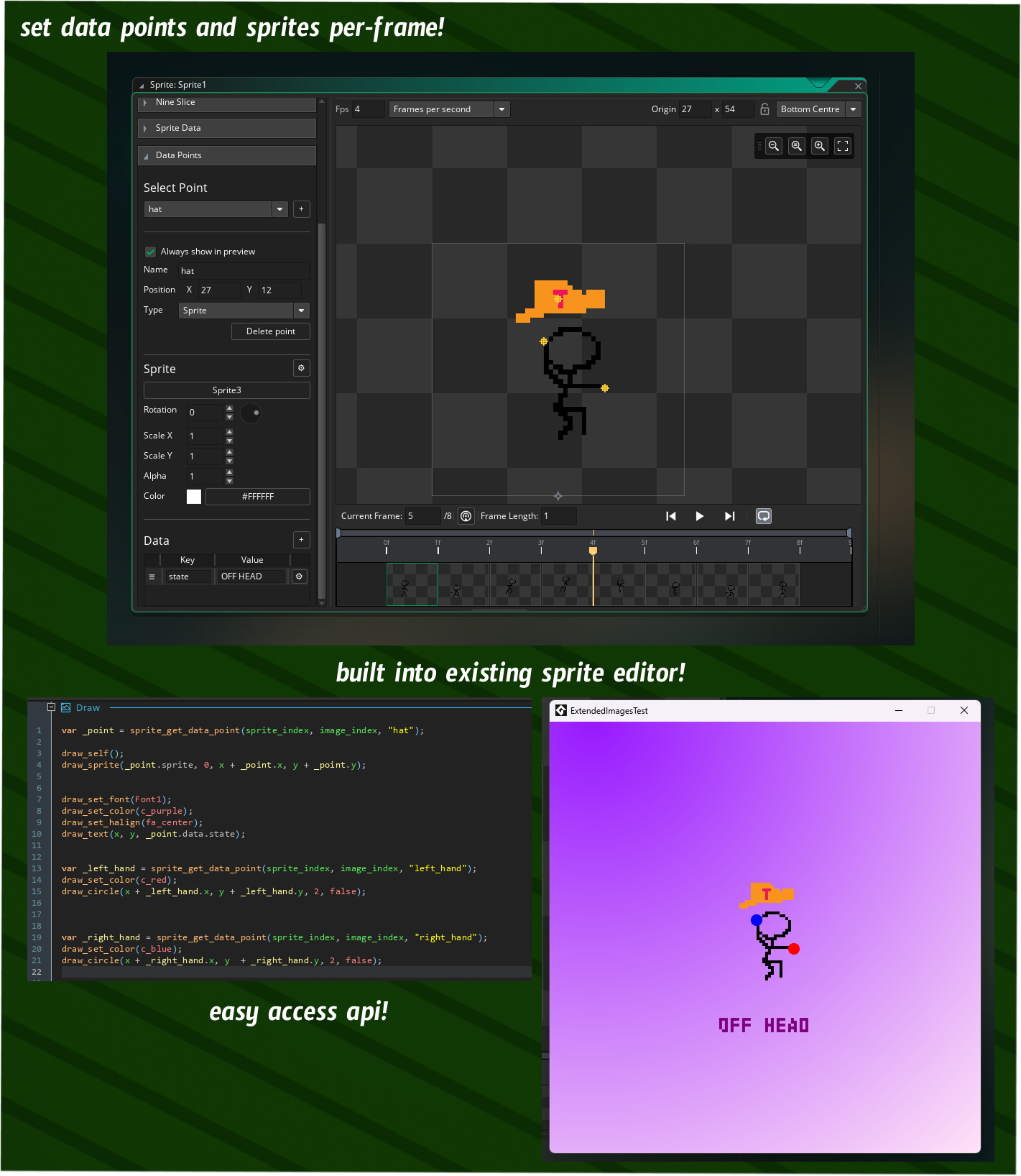
You can also assign type data to each point, or to the sprite itself, to help with data management in Game Maker. This plugin integrates directly into your IDE, it is 100% free, and will save you hours of writing your own formats.
Installation
Extended Images is installable completely from Game Maker Package Manager. For manual installation or older versions see the Releases section.
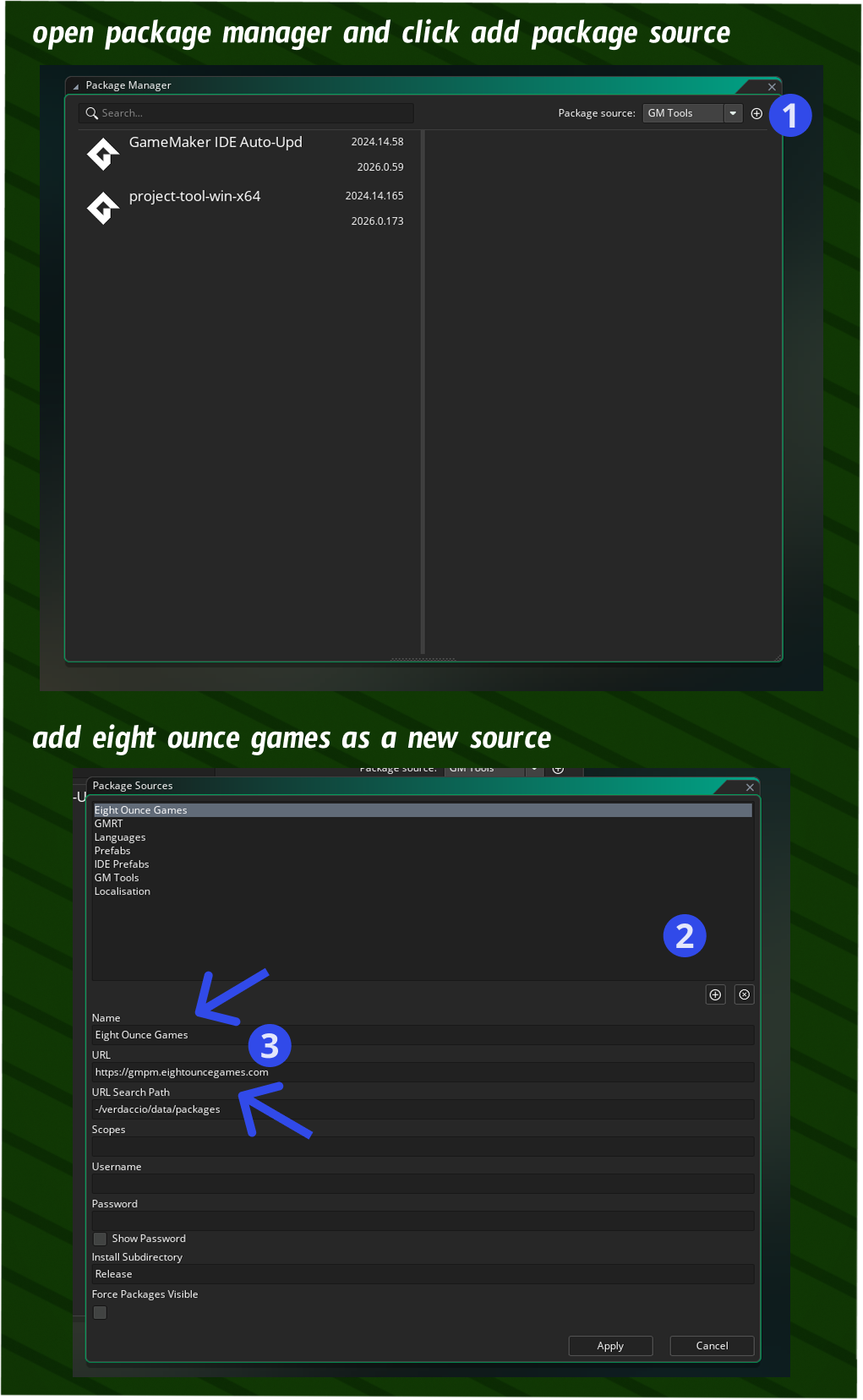
1) Add Eight Ounce Games as a package source.
To install packages from sources that are not offical Game Maker packages you must add them in the Package Manager. Open the package manager and add the Eight Ounce Games registry to get access to the Extended Images packages.
- In the package manager click the "+" button in the top right to open the package editor.
- Then click "+" in the package editor to create a new entry.
- Fill out the Eight Ounce Games package registry Name and URL fields:
name: Eight Ounce Games
url: https://gmpm.eightouncegames.com
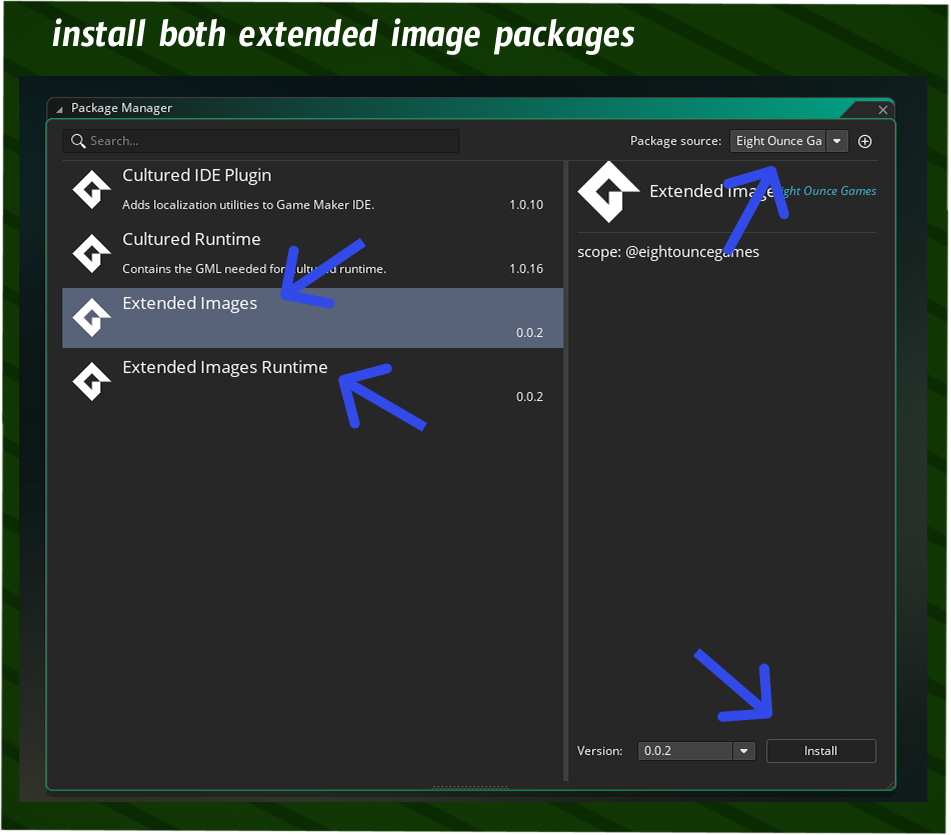
2) Install the Extended Images IDE package in the Package Manager.
In the package manager select Eight Ounce Games as a source and Extended Images IDE package. You must restart Game Maker after installing this package.
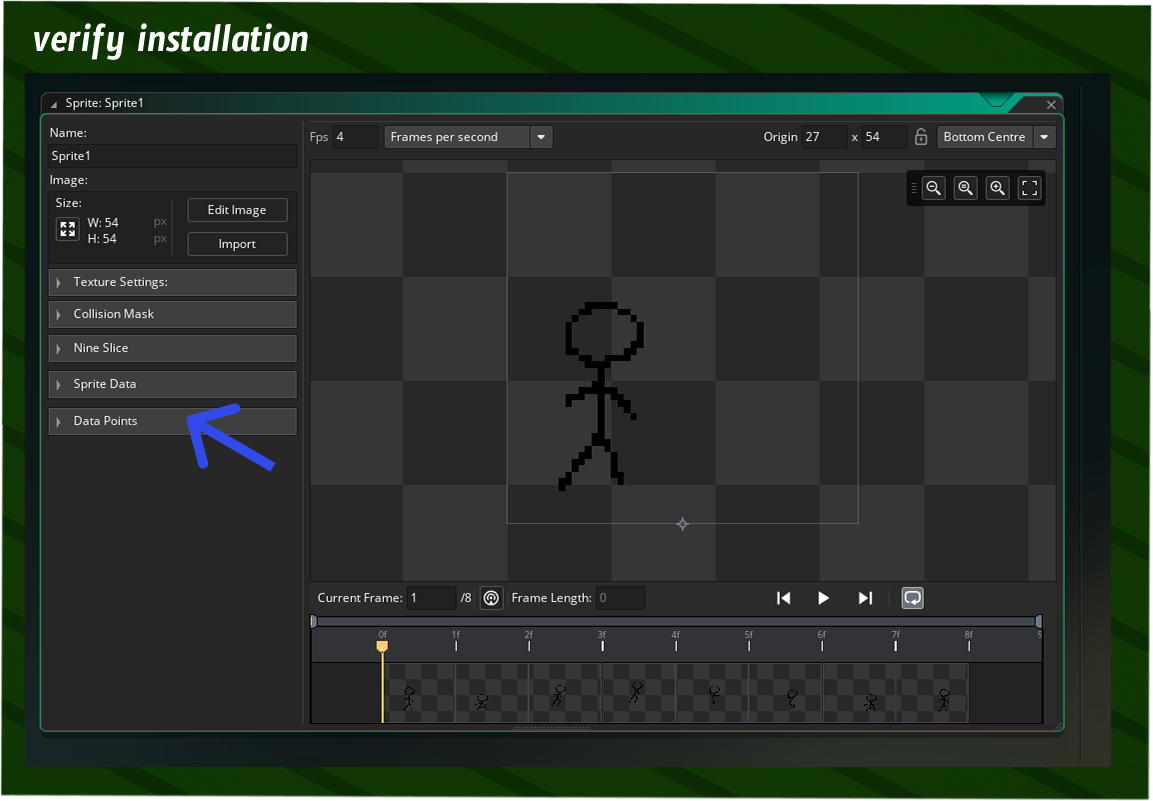
3) Open up a sprite to verify your installation.
Open up any sprite in Game Maker, if you see the new Data Points section then the installation is completed.
Next Steps
Poke around in the new UI and see what you like! More documentation is coming soon. Join our Discord server to get help.