Cultured Runtime
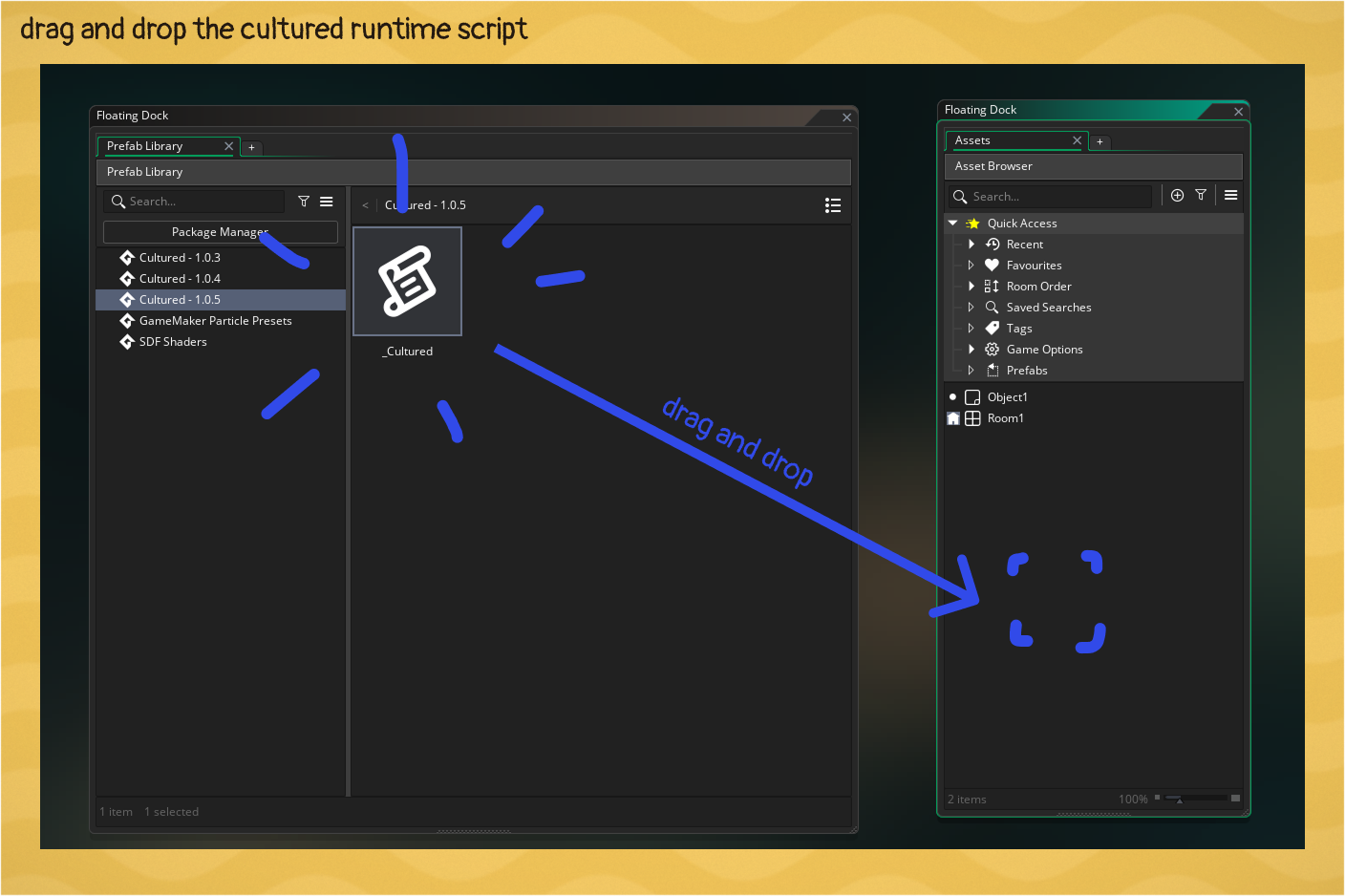
The Cultured Runtime refers to the __Cultured script that runs cultured in your game and gives you gml functions and authoring tools.
Authoring / Retrieval
cultured
cultured(key_or_content, [native_content])
Creates a mark for the Gather Stage and returns a CulturedText reference. You can call it with one or two arguments. See the Authoring Text guide for more details.
// with an auto-generated text identity
text1 = cultured("Hello World");
draw_text(x, y, text1.str);

// with a custom text identity
text2 = cultured("menu::greeting", "Goodbye World");
draw_text(x, y, text2.str);
cultured_get
cultured_get(key)
Returns a CulturedText reference for a string by its key, not text identity.
text1 = cultured_get("menu::greeting");
draw_text(x, y, text1.str);
cultured_get_instance_var
cultured_get_instance_var(var_name)
Returns a CulturedText reference to a room placed object instance variable override. See the Authoring Text guide for more details.
text1 = cultured_get_instance_var("sign_text");
draw_text(x, y, text1.str);
cultured_get_font
cultured_get_font(font_name)
Returns a CulturedFont reference for the font name. See the Rendering Localized Content guide for more details.
header_composite_font = cultured_get_font("header");
draw_set_font(header_composite_font.font);
cultured_get_sprite
cultured_get_font(sprite_asset)
Returns a CulturedSprite reference for the sprite. You should pass in the native sprite you selected when creating the composite sprite in the Cultured Dashboard. See the Rendering Localized Content guide for more details.
banner = cultured_get_sprite(spr_banner_en);
draw_sprite(banner.spr, 0, 100, 100);
Formatting
cultured_format
cultured_format(source, [args])
Takes a raw string or CulturedText reference and a struct of named arguments and supports a range of formatting features. See the Authoring Text guide for more details.
Variable Injection
text = cultured("Hello {playerName} how are you?");
formatted_text = cultured_format(text, { playerName: "John Eightgames" });
draw_text(x, y, formatted_text.str);
Pluralization
// "I love gamemaker 0 times"
// "I love gamemaker 1 time"
love_text = cultured("I love gamemaker {loveCount} {loveCount, plural, one {# time} other {# times}}")
draw_text(x, y, cultured_format(love_text, { loveCount: love_count }).str);
Number Formatting
// "I love gamemaker 3,458 times"
number_text = cultured("I love gamemaker {loveCount, number} times")
draw_text(x, y, cultured_format(number_text, { loveCount: love_count }).str);

// "That costs 1,250.50 coins"
price_text = cultured("That costs {price, number, 2} coins")
draw_text(x, y, cultured_format(price_text, { price: 1250.5 }).str);
cultured_number
cultured_number(n, [decimals])
Formats a number to match the active language, picking the right digit grouping and decimal separator for you. Hands back a plain string.
// "1,250.5" in en, "1.250,5" in it
draw_text(x, y, cultured_number(1250.5));

// force two decimal places: "1,250.50"
draw_text(x, y, cultured_number(1250.5, 2));
cultured_add_plural_rule
cultured_add_plural_rule(lang, fn)
Registers or overrides the plural rule for a language. fn receives the count and returns a category: "zero" | "one" | "two" | "few" | "many" | "other".
// Russian-style plurals: one / few / many
cultured_add_plural_rule("ru", function(n) {
    var m10 = n mod 10, m100 = n mod 100;
    if (m10 == 1 && m100 != 11) return "one";
    if (m10 >= 2 && m10 <= 4 && (m100 < 12 || m100 > 14)) return "few";
    return "many";
});
Language
cultured_set_current_language
cultured_set_current_language(lang)
Switches the active language and streams it from disk if needed. All font and text struct references are kept in sync.
cultured_set_current_language("ja");cultured_get_current_language
cultured_get_current_language()
Returns the currently active language code.
if (cultured_get_current_language() == "ja") {
    // show anime
}
cultured_use_system_language
cultured_use_system_language()
Detects the OS language and attempts to match that to one of your target languages. See the Language Mapping guide for more details.
// switch to the best shipped match for the players OS
cultured_use_system_language();
cultured_on_language_changed
cultured_on_language_changed(fn)
Allows you to register a callback to when languages change. Returns a function to unsubscribe to the event.
unsubscribe = cultured_on_language_changed(function(new_lang, old_lang) {
    show_debug_message("language: " + old_lang + " -> " + new_lang);
});

// todo: free the event when you are done listening
unsubscribe();
Text and Font structs
The results of most Cultured calls are a Text or Font struct that is kept up to date with the current language so that you do not need to manage that part. They look like this.
CulturedText
This is the main text struct that gets returned from Cultured functions.
CulturedText
{
  // text's current translated string
  str,
  // check if this text was a failed lookup or a valid text
  is_valid
}
CulturedFormattedText
CulturedFormattedText
{
  // formatted text's current translated string
  str
}
CulturedFont
CulturedFont
{
  // the game maker font asset index for the current language
  font
}
CulturedSprite
CulturedSprite
{
  // the game maker sprite index for the current language
  spr
}