Translating Text
This page will go over the entire Cultured pipeline, guide you through translating text, and help you decide on a workflow for you or for you and your translation team.
The Cultured Localization Pipeline
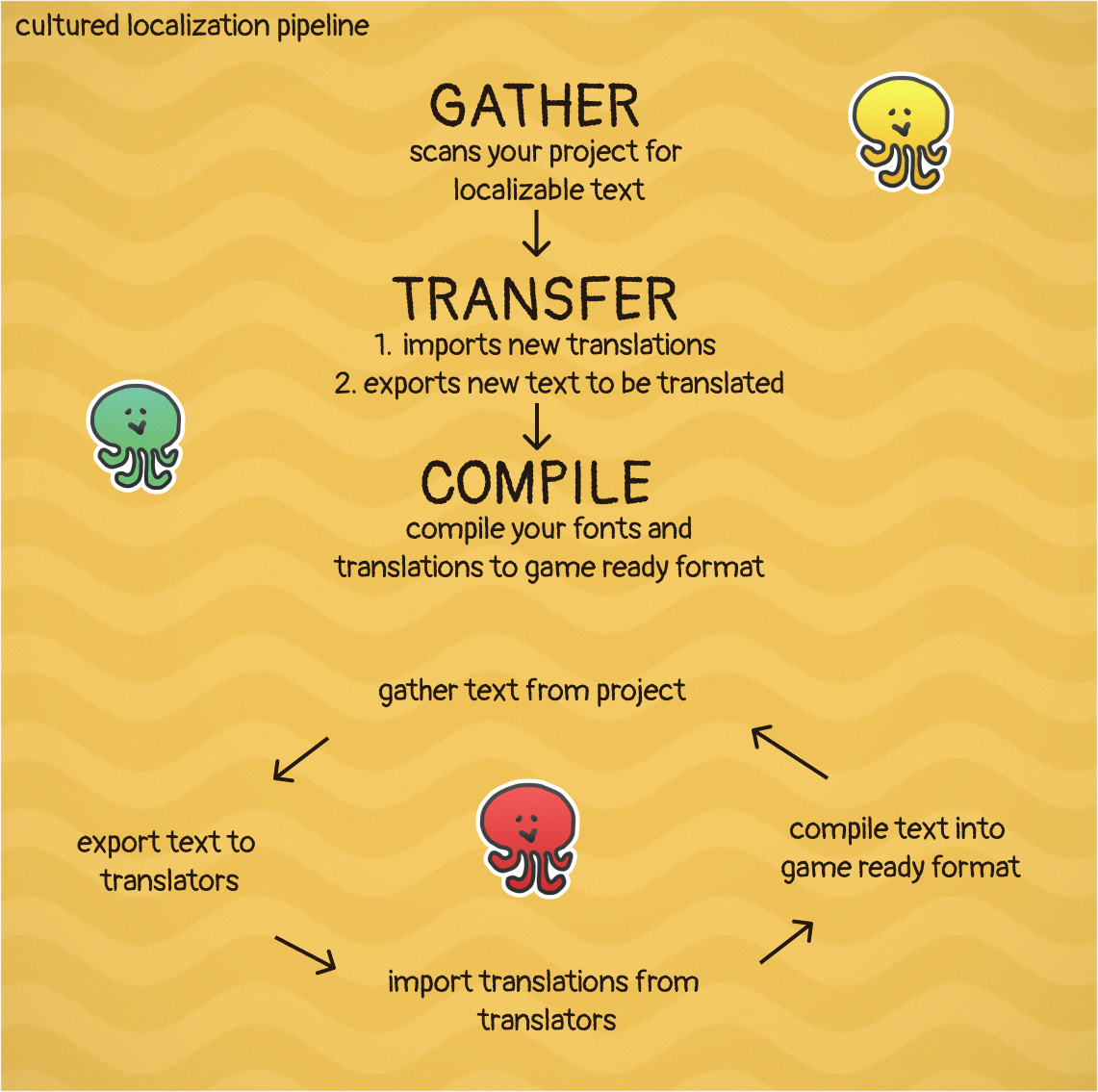
Localization can be difficult for games without a solid pipeline. Cultured comes with a configurable pipeline that defaults into three stages: Gather, Transfer, and Compile.
Gather
The gather stages looks over your entire project and pulls out all the different sources of text and text identities and compiles them into a manifest.
Transfer
The transfer stage is responsible for exporting your text into either a .po or .csv format so you can give them to your translation team and for importing those translations once they've arrived.
Both actions happen sequentially in the Transfer stage so you can use it any time you need to import or export text. The .po and .csv files live in the Cultured Working Dir at {project_root}\Cultured\Import and {project_root}\Cultured\Export.
Compile
The compile stage converts the manifest, all your translations, and your language configuration rules into a binary file. The binary file is compressed and encrypted making it tamperproof without custom tooling, but the encryption should not be considered safe for sensitive data as it is easily crackable. The runtime loads translations from the binary file in sections depending on what language is in use.
Translating Text Inside Game Maker
If you are translating your game alone then it is probably easiest to just work in the Cultured Dashboard. Just select the language in the Languages table and type in your translated text. Click "Run Pipeline" to see your changes in game.
Translating Text Outside of Game Maker
Assuming you have a translation team they probably already have a workflow that they have in mind for you. Likely it looks like transferring either .po, .csv, or some custom format between your studio and theirs. This is also the workflow that Cultured wants you to work in.
This workflow also works for a smaller team who has volunteer translators as you will do the same thing, transfer files back and forth.
Your Cultured Workflow:
- Developers and Designers author Text in Game Maker or in external String Tables.
- An engineer runs the Cultured Pipeline to export the text, which is generated in
{project_root}\Cultured\export - Your studio transfers the Export directory to the translators
- The translators fill out the translations and send the directory back to your studio
- You replace the new translations into the Import directory which is located in
{project_root}\Cultured\import - An engineer runs the Cultured Pipeline to import new translations, export any new text since last pipeline run, and compile text into binary for gameplay
Customizing The Pipeline
The cultured pipeline can be customized by adding .bat files to the Cultured/pipeline directory. Once there they will be reorderable in the Cultured Dashboard -> Pipeline tab.
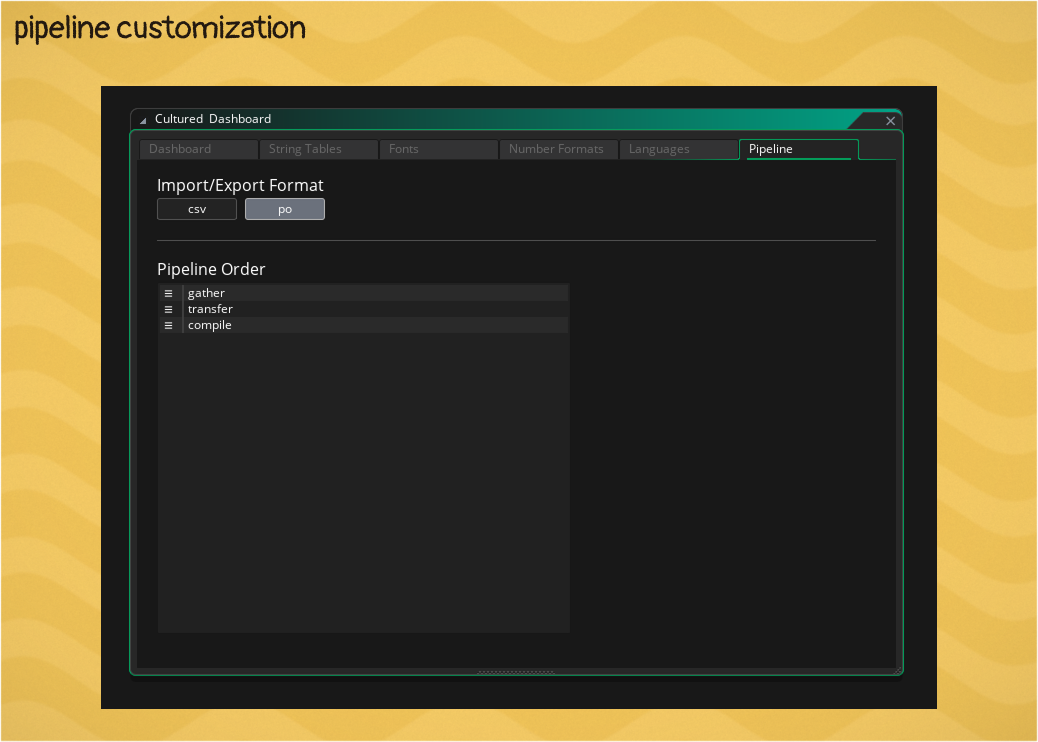
If you add a gather.bat, transfer.bat, or compile.bat into the Cultured/pipeline directory then these files will be used instead of the default stages. This system allows you to configure any part of the pipeline for custom workflows or automation tooling.